This game is large and needs time to load, please wait.

Play Vice City Style Online in Your Browser
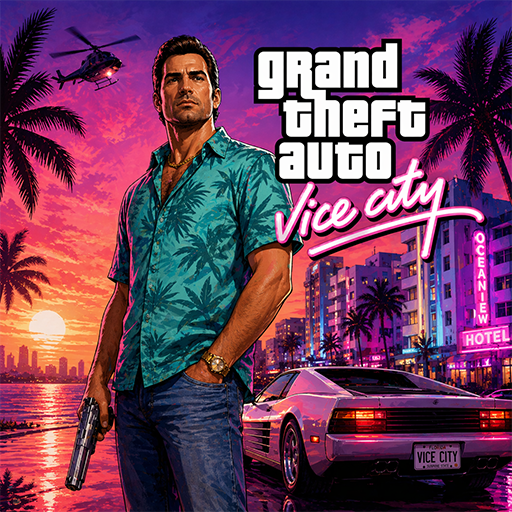
Step into neon-soaked streets with a Vice City style online adventure that runs directly in your browser. This open-world browser game focuses on quick access, driving, exploration, and action missions without downloads or complex installation. It is written as a browser-friendly city action experience for quick play sessions.
Ready to take over the streets? Start the Vice City style action game now and begin your rise through the urban underworld right in your browser tab.
GTA and Grand Theft Auto: Vice City are trademarks of Take-Two Interactive. This game is not affiliated with, endorsed by, or sponsored by Rockstar Games or Take-Two Interactive.
Need a quick walkthrough first? Read our Vice City-style browser game guide, then return here to start playing.
Core Gameplay and Open-World Mechanics
In this no-download crime city game, the core loop is simple: explore the map, drive vehicles, complete high-pressure missions, and react fast when a chase begins. The gameplay focuses on movement, aiming, driving, and learning the streets so you can survive longer and complete more objectives. This web build is designed for smooth browser performance and responsive controls.
Why This Browser Version is Practical
Choosing a free urban action web game keeps the start simple. You do not need to manage storage space, hardware compatibility, or long wait times. It is practical for quick sessions during breaks or when you are on the go, while still offering the convenience of instant web access across multiple platforms.
Accessibility and Cross-Device Experience
This version of the game is designed to be lightweight and responsive. It runs efficiently on modern browsers, making it accessible on everything from high-end gaming PCs to standard smartphones. The intuitive interface ensures a smooth experience whether you are using a keyboard and mouse or touch controls.
Frequently Asked Questions
Can I play this Vice City style game online without downloading?
Yes, this web version runs directly in your browser without downloads or installation.
Is this browser version free?
Yes, this browser game is free to play from the page.
Does it work on mobile?
Mobile support depends on your device, browser, and available on-screen controls. Desktop is the better choice when you want keyboard-and-mouse controls.
What kind of browser version is this?
This is a browser-based city action experience designed for quick access and instant play.
How does the browser version compare to installed games?
Installed games usually offer deeper graphics and larger worlds, while this browser version is built for quick access without long downloads.
Explore More Action Games
- Counter Strike 2 (tactical shooter)
- Stumble Guys (battle royale)
- Beamng (Crash Simulator)
- Rocket League (car soccer)
Controls and Survival Tips
Mobile Controls
Use the virtual joysticks on the screen to move and aim. Tap the action buttons to shoot, enter vehicles, or interact with objects. For the best experience, play in landscape mode.
PC Controls
Common controls: WASD to move, Mouse to aim and shoot, Space to jump, and F to enter vehicles. These classic controls make the transition to the browser version seamless.
Quick Survival Ideas
Always keep an eye on your health and armor levels during missions. Learn the city's layout to find quick escape routes from the police. For the smoothest gameplay, close unnecessary browser tabs and background applications.